



SPICE was originally developed to address real-world gaps in virtualization: delivering decent performance for video streaming and USB redirection when connecting to a server on your local network. What happens when your requirements expand, though?
While we’ve always seen it as a good solution for Linux users working with KVM/QEMU, many note that for physical desktops, lab systems, or GPU-intensive workloads across WANs, hybrid infrastructures, and at a global scale, it falls short in performance, flexibility, and manageability. That’s part of why, unfortunately, Red Hat deprecated SPICE in RHEL 9.
This made most assume VNC is the primary fallback among other SPICE remote desktop alternatives. ThinLinc, however, offers a far more centrally managed Linux remote access through individual virtual desktop sessions — designed for consistency, isolation, and enterprise-grade security — whether deployed on physical servers or in virtual environments.
To be clear, there’s nothing inherently wrong with SPICE. As with other respected projects like Apache Guacamole or X2Go with its NX protocol, SPICE was simply designed with a particular use case in mind.
Open source is incredibly valuable for many users and enterprises, including us. The problem is that, when you try to manage or scale secure remote access across virtualized environments, diverse clients, and unpredictable networks, SPICE’s limitations become increasingly difficult to work around, especially when physical desktops or research workstations enter the mix.
That’s usually when it’s worth reevaluating your long-term goals and considering a remote desktop solution with easier administration, enterprise-grade security, and optimized performance.
SPICE was built almost entirely around virtual machine hypervisors like QEMU and KVM, so it’s good at providing direct remote control for individual VMs running locally on the same host or network. This also makes it hardly ever a good fit when you need a well-rounded remote desktop solution for physical Linux servers or for delivering remote desktop applications directly from a bare-metal OS. Certainly, the community has tried to solve this in a way with the Xspice X server implementation mentioned above. Yet, it’s still considered experimental and less reliable than the VNC protocol.

Image source: Linux Magazine
As we’ve described, SPICE is optimized specifically for LAN VM connections, so while some performance loss over WAN is naturally expected, the extent of the slowdowns can make sustained remote work quite difficult for many remote users. You’ll find teams running into unresponsive screen updates, poor audio quality, and failed file transfer when trying to support multiple users over long distances.
We've also seen technical bug reports where a simulated WAN link with around 200ms latency (not an uncommon scenario for cross-country or international connections) resulted in severely degraded interactivity.
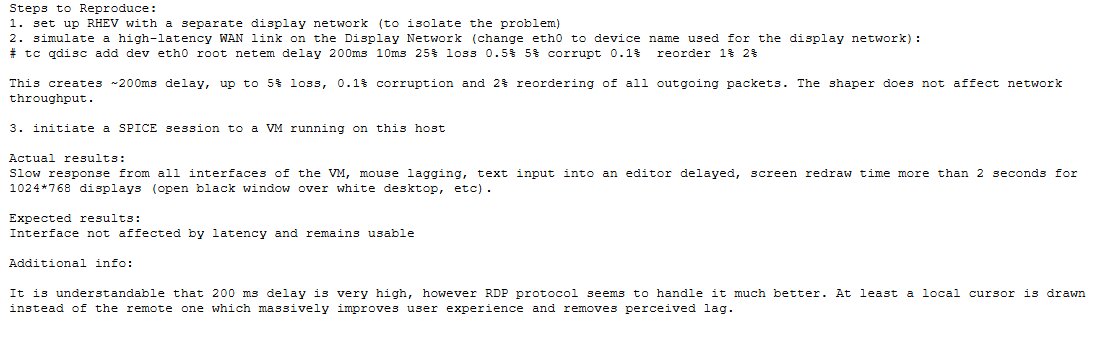
Image source: Red Hat Bugzilla
SPICE was designed to offload GPU-intensive tasks to the client, relying on hardware acceleration to handle rendering on the local screen. For demanding workflows like CAD, remote 3D rendering, or simulation tools, this is just unsustainable.

Image source: Reddit
In most cases, server-side rendering, as used in projects like TigerVNC (to which our Cendio developers actively contribute), delivers a more stable, consistent experience — especially when paired with adaptive compression and protocol-level optimization.
If your organization needs features like detailed session auditing or granular access control, don’t expect to find that in SPICE. It’s a capable display protocol, not a full remote desktop solution. Even with VDIs like Proxmox or oVirt, administrative controls don’t extend to the user-level policy enforcement needed directly within the SPICE protocol. This lack of integrated session control and ability to centrally manage multiple sessions can introduce significant security risk in shared environments.

Image source: Proxmox Forum
SPICE supports TLS encryption and SASL authentication. Actually configuring them to enterprise standards, though, is not that simple, and depending on the context, it can further increase the security risk we mentioned above. It all comes down to a lack of built-in flexibility in the VDIs themselves, which leaves less room to adapt to organization-specific policies. Some system administrators work around this using command-line overrides or stick with default self-signed certificates, but neither approach scales well or meets compliance needs out of the box.
Getting USB devices to work reliably through SPICE has long been a tricky area, and it's not for lack of trying by its contributors. Despite this, basic tasks like connecting a flash drive from the client computer require extra drivers (like UsbDk on Windows clients) or only work reliably on specific Linux distributions.
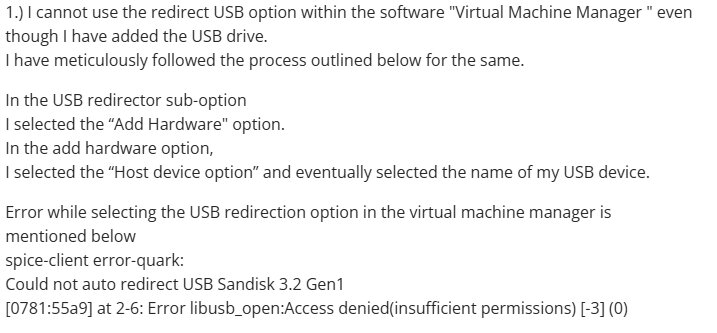
Image source: Fedora Project Discussion
We’ve seen that SPICE works mainly through the hypervisor’s interface (such as virt-manager, Proxmox’s WebUI, or oVirt), and lacks a centralized administration GUI. That’s manageable…until daily administration in complex environments depends solely on the command line. While 53% of organizations turn to open source for cost savings, this approach slows remote support, increases error risk, and makes scaling harder, which makes the setup far less cost-effective as you grow.
It’s clear at this point that SPICE works well when everything in the stack aligns. But that stack runs deep and needs to be perfectly compatible: QEMU versions, libvirt layers, guest drivers, virt-viewer, and the SPICE agent installed inside the VM. A single update or misconfiguration, like a QEMU or guest driver change, can break features such as audio or peripheral access, though that’s not always the SPICE community’s fault.
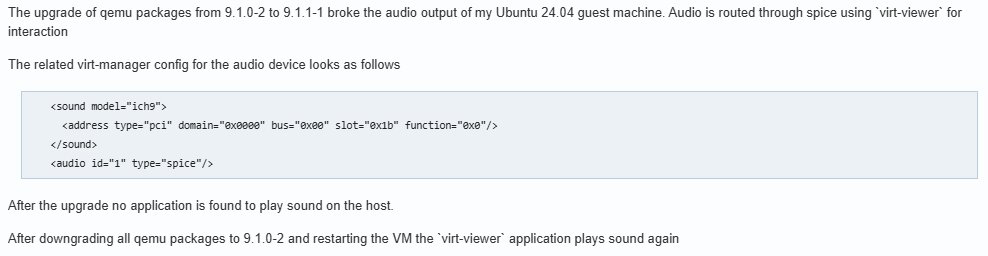
Image source: Arch Linux Forum
Transitioning from SPICE isn't as much about matching up with features and more about going for a remote desktop software that remains true to its open-source roots yet anticipates more demanding Linux environments.
You should prioritize:
When Red Hat open-sourced the SPICE protocol back in 2009, we’d already been building ThinLinc for six years around a single principle: remote desktop access should be open, but reliable, genuinely built for Linux environments, and easy to manage at scale. Our developers here at Cendio took the projects they helped shape, like TigerVNC and noVNC, and integrated them into a cohesive platform, optimizing every layer with well-tested components to ensure even the most complex Linux setups stay stable and predictable.
Download ThinLinc’s full-featured free version for up to 10 concurrent users to test how it can support your workflow.
Whether your ThinLinc server runs on bare metal or inside a hypervisor, the experience remains consistent. Most of our users actually deploy in virtualized clusters, but physical installs work just as well. Just note: ThinLinc creates isolated virtual desktops using its own Xorg server, so you can’t access or share a local graphical session on the same host — each connection gets its own secure environment.
For a closer look at how this architecture fits your needs, check out our technical overview.
That sluggishness SPICE many users report once they’re off a fast, local network? With server-side rendering and adaptive compression that adjusts in real time, we’ve tuned ThinLinc for fast performance when users connect over high-latency WANs or unpredictable, low-bandwidth links.
Image source: ThinLinc
It really doesn’t matter if you’re running a lightweight code editor or a full-blown CAD suite. Unlike SPICE, ThinLinc doesn’t depend on specific video drivers or client-side hardware constraints. There’s also support for GPU acceleration through VirtualGL, so teams get reliable performance across a wide range of graphical workflows. Audio, input, and file transfer behavior is also consistent across different environments and devices.
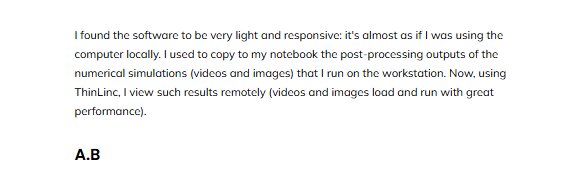
Image source: ThinLinc
With SPICE, reconnection generally involves having to go back through the hypervisor's console to re-establish access to your VM's console every time, since the protocol itself doesn't provide user-specific, persistent sessions that continue independently. ThinLinc, however, provides actual session persistence: if you are disconnected, your desktop environment and your applications continue to run on the ThinLinc SSH server. You can simply re-attach and resume exactly where you had stopped, without any loss.
Performance means little without security, which is why we’ve made enterprise-grade protection a core part of how ThinLinc works. Every connection to your ThinLinc server is encrypted using SSH, which simplifies firewall configurations and reduces the need for the complex proxy server setups you may face with SPICE. ThinLinc also integrates with authentication systems like LDAP, Active Directory, and Kerberos via PAM, so you can monitor and enforce policies consistently across your environment.
If there’s one thing we’ve learned from being part of the open-source community for over a decade, it’s how easily the power of a good project like SPICE can be overshadowed if deployment and management become complex. ThinLinc is designed for quick setup. Just a glance at our “How to Get Started” guide is usually all it takes, with comprehensive documentation available for deeper configurations.
Scaling is just as painless: system administrators get a unified web-based admin panel and CLI tools for full control over users, sessions, and system health, whether you’re running a single server or a large cluster.
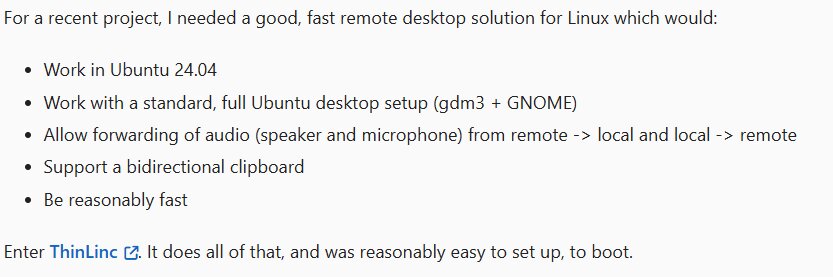
Image source: Jeremy Pedersen
USB redirection is one of those features that can make or break the remote desktop experience, as we’ve seen some SPICE users report. At Cendio, we provide robust support for a wide array of common USB peripherals (like storage devices and smart card readers) across various platforms including Windows, Mac, and Linux clients. Our protocol handles redirection natively, so devices show up where you expect them and just work, even in mixed-platform environments.
| Criteria | SPICE | ThinLinc |
| Platform & OS support | ✅ Primarily Linux KVM VMs; client support on various platforms (Xspice for physica rust is experimental) | ✅ Robustly supports Linux servers (physical and virtual); clients for Linux, Windows, macOS, web. |
| Performance in low bandwidth | ❌Designed for LAN; poor WAN performance. | ✅ Optimized rendering, compression, and server-side performance tuning. |
| Session persistence | ❌ Not built-in; depends on hypervisor. | ✅ Yes. |
| Security & encryption | ✅ TLS/SSL, SASL authentication (setup is complex). | ✅ SSH tunneling and enterprise-grade authentication and access controls. |
| User scalability | ❌ Built for single-user VM access; limited multi-user management. | ✅ Designed for large-scale, concurrent multi-user environments. |
| Authentication & access control | ❌ Basic console-level control; limited per-session options | ✅ MFA, AD/LDAP integration, fine-grained ACLs |
| Client & browser access | ✅ Native clients (but limited web browser) | ✅ Native clients, reliable HTML5 browser access. |
| Licensing & cost model | ✅ Free, open source | ✅ Free (up to 10 users); paid concurrent licensing plans. |
It’s natural to think that migrating from SPICE’s deep integration with your VMs towards a more comprehensive remote desktop solution might complex, but we actually do everything in our power to make the whole process easier:
Anyone who’s worked with Linux virtualization over the past decade knows SPICE was a genuine leap forward for graphics and device redirection in open-source VDI, and its community deserves real credit for advancing Linux desktop access beyond what RDP or VNC offered. Now that’s been deprecated, though, what’s left is a choice: keep investing time in a tool that’s reached its natural endpoint, or move to a platform designed for today’s Linux environments.
You’re not without options. Yet, seeing how even other solutions like Oracle Secure Global Desktop have been discontinued, we believe ThinLinc offers the most future-proof path forward. It builds mainly upon respected open-source components, prioritizing stability from the start, centralized management, robust security, and adaptive performance.
Try ThinLinc today to see how easily it adapts to your infrastructure and simplifies remote access for your team.
