



Another six months have passed since the last ThinLinc release. During this time, we've been hard at work on ThinLinc 4.20.0, arguably the biggest ThinLinc release to date. As usual, this accompanying blog post will detail what we deem the most interesting and impactful enhancements.
The most requested change in ThinLinc 4.20.0 is added support for serving ThinLinc's web client, Web Access, behind a reverse proxy such as Nginx or Apache. Up until now, the clustered architecture of ThinLinc has made placing Web Access behind a reverse proxy tricky at best (or impossible at worst). However, as of this release, we've rearchitected things to fully support such network setups.
Whether keeping all externally exposed web services behind a centrally managed reverse proxy is a hard requirement from your global IT department or you'd simply just prefer to expose Web Access through the same domain name as other services, we've now got you covered. The ThinLinc and proxy configuration required for this is dead simple and is described in more detail in the corresponding documentation chapter.
In 4.20.0 we've added the ability to brand the web client's login page. This makes it possible for your company or institution to give their own touch to the login page, all easily configurable through the web administration interface.
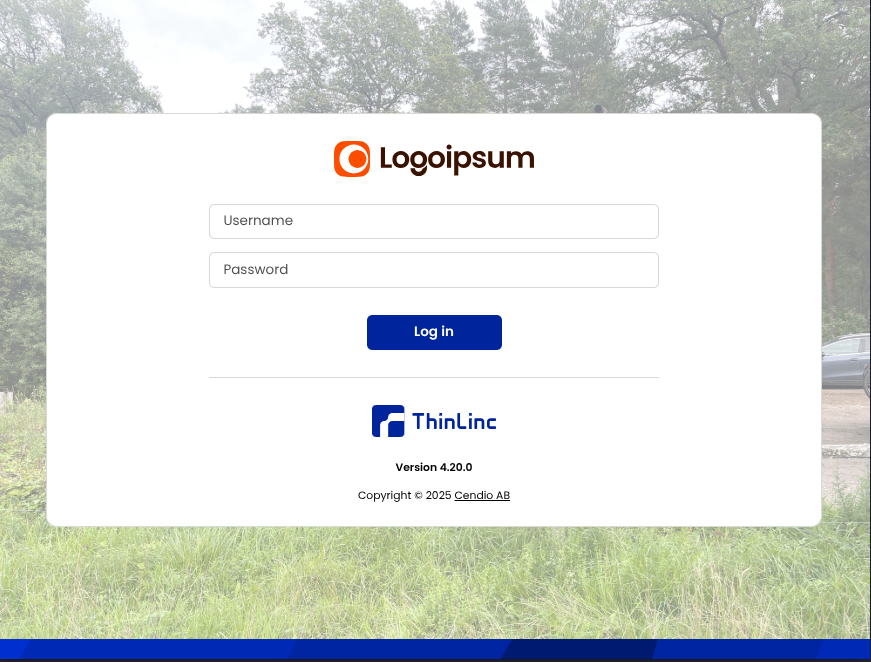
The Web Access login page with a custom logo and background.
Currently, you can change up the logo, background, and page title, making your users feel at home when logging in. Besides adding a sense of familiarity to the login page, ThinLinc users running multiple separate clusters can also use this to visually differentiate them.
Upgrading mission-critical infrastructure is, and always will be, a bit terrifying. So, in this release, we've tried to make the server upgrade procedure more comfortable by:
Forgetting to upgrade your licenses before upgrading the ThinLinc server itself has been a recurring issue, resulting in locked-out users until the licenses were upgraded. Although relieved by the introduction of ThinLinc's customer portal for license self-service, we now believe that this issue will be fully eliminated.
A final quality of life enhancement worth highlighting here is the improved accessibility of the ThinLinc administrator's guide. The online administrator's guide contains the documentation for the latest ThinLinc release. In cases where you are running a dated ThinLinc version, however, this is not the documentation you want. For such cases, the documentation for the installed ThinLinc server version can now be found on the "Help" page in ThinLinc's web administration interface.
Besides the long list of admin-centric features in ThinLinc 4.20.0, there are also a significant number of goodies in store for the end-users. The most highly requested is the addition of a server history dropdown menu to the native client.
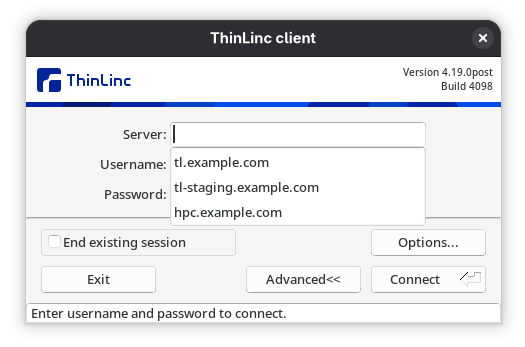
ThinLinc now remembers the most recent servers you've connected to.
There have also been a handful of smaller user-experience changes to the client itself. Some examples include a much prettier options interface alongside the ability to always skip the profile chooser introduction page and remember a default profile to use when connecting to a ThinLinc session. Useful for the folks who regularly connect!
Since the last release, we have also been working on several long-running projects that are not ready to see the light of day just yet. These bigger long-term investments include Wayland support, support for single sign-on through OpenID Connect, neatly integrated in-session GPU acceleration, and build system upgrades to facilitate client builds for both Apple Silicon and ARM64 Linux devices (and eventually a visually stunning native client using Qt).
As always, this release contains numerous minor enhancements across the board to make ThinLinc even more functional, easy to use, and secure. For the full list of changes, see the ThinLinc 4.20.0 Release Notes. The 4.20.0 server and clients are available on our download page. We look forward to hearing what you think on the ThinLinc Community.
