



As natural as SSH + X11 feels for those of us who live in terminals, there are a few issues you can’t ignore when trying to make Linux remote desktop access scalable and secure for hundreds of users. Most organizations are already operating in hybrid or distributed setups. This stretches X11 far beyond what it was designed for and forces enterprise teams to look for an SSH + X11 forwarding alternative.
What we’ve seen working with Linux‑centric teams over the past two decades is that almost nobody wants to get rid of SSH to solve this. They want something that stays native to how they already run their environments, but also gives them remote sessions that can survive higher latency and unreliable network conditions.
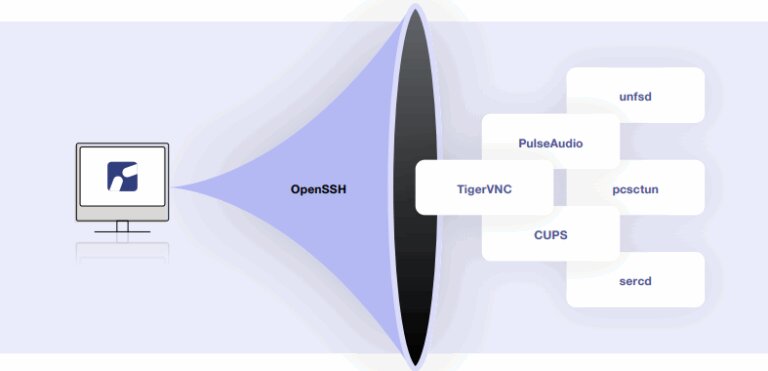
And yes, many X11-based solutions will ultimately struggle in cloud, hybrid, or WAN environments. ThinLinc’s architecture, though, is designed to handle these conditions far better than raw ssh -X. It’s a Linux-first terminal server that builds on SSH by default and uses an optimized open-source protocol designed for persistent, centrally managed desktops and applications.
Most developers don’t choose SSH + X11 forwarding because it’s elegant. We grew up with it. It's always there, secure by default, and good enough to get a remote GUI up without introducing new infrastructure when you just need to poke at a few apps on a remote machine.
SSH bolts an X11 tunnel onto an encrypted connection, fakes a DISPLAY on the remote side, and pushes X protocol back to your local X server, so every repaint and resize rides that same stream. That’s fine in small environments. What we see in larger Linux setups, though, like HPC clusters and research labs, is that this turns into a fragile per‑user workaround rather than the kind of remote desktop service you’d want to standardize on.
The move away from X11 rubbed a lot of us the wrong way at first, but in practice SSH + X11 forwarding had long been the slow and hard‑to‑secure option for heavy remote GUI work.

Image source: Hacker News
If you haven’t personally experienced the pain of waiting for a window to redraw over a VPN, you’ll find plenty of stories from those who have. One developer on SuperUser described it perfectly: "If I open firefox on a remote Ubuntu through ssh forwarding, on a 500 Mbit/s connection, it can take a minute to even get the first window up, and right now I've been trying to click on a single checkbox (nothing else animating on the entire window) and it's using 200 mbit/s continuously for minutes."
Even on a fast link, X11 forwarding is gated by round-trips and RTT, so “more Mbps” doesn’t reliably translate into a snappy UI. Now take that behavior and apply it to an enterprise workflow where you have dozens, maybe hundreds of engineers trying to run EDA tools or IDEs simultaneously over WAN/VPN. At that point, the issue is architectural.

Image source: Reddit
Many of the organizations we’ve helped migrate to ThinLinc were getting by with tmux/screen for keeping the shell alive or VNC/RDP-style side channels for full desktops, because with plain SSH X11 forwarding, there’s no server-side desktop session to roam back into. You’re just tunneling individual X11 apps to your local display, so if the connection drops, the GUI is gone.
While you can start a full desktop and display it over X11 forwarding, SSH + X11 is typically used for individual app windows. In a large environment, every user would have to reinvent parts of their workflow, depending on their shell config and distro quirks (among other things). Administrators, on the other hand, have no practical way to standardize or manage that experience across a team the way they can with a terminal server.
Among the more common complaints out there, audio is usually the first thing to break, and there are plenty of firsthand reports that illustrate this, such as this one from a user on Reddit: "I am remotely accessing a raspberry pi through ssh with X11 forwarding enabled on both the pi and my linux machine. I can play mpv videos and get the video (though choppy) but no audio."
At its core, this isn’t a multimedia remoting protocol (it’s X11 traffic in a tunnel). It was never designed to handle audio, and video is treated as just another flood of redraw events.
At this point it’s clear that while SSH + X11 forwarding is convenient for one-off access, it stops being simple once you try to make it reliable for big teams across mixed client environments and real compliance constraints. And as we’ve seen, even if you manage to stabilize it with workarounds, it still lacks centralized management tools. There’s no clean way to enforce policies, monitor sessions, or reason about usage at scale.
The right alternative should keep the parts that work (SSH-centric security and Linux-native workflows) while fixing the parts that don’t (performance, persistence, manageability).
In our opinion, what matters the most is:
ssh -X feels good right up until you have to support teams working remotely full-time, across time zones, networks, and workloads. This is when you need an actual remote desktop service, and ThinLinc is your best option if you value transparency and want to stick to open standards without sacrificing enterprise reliability.
It uses SSH as the secure transport layer, and most of it is built on open-source components (including TigerVNC and noVNC, both actively maintained by our developers). Then, it adds a few tested proprietary components for orchestration and configuration that turns “a tunnel” into an all-in-one, Linux-first enterprise platform.
X2Go is an open-source option that improves on SSH + X11 by using NX compression. Long-term maintenance, session reliability, and enterprise-grade management features, however, are areas where many teams eventually run into limitations.
We’d say this is probably what most teams turn to when looking for something better than SSH X11, and for good reason. Whichever VNC server you choose, though, on their own they don’t scale well into shared, multi-user Linux desktop environments.
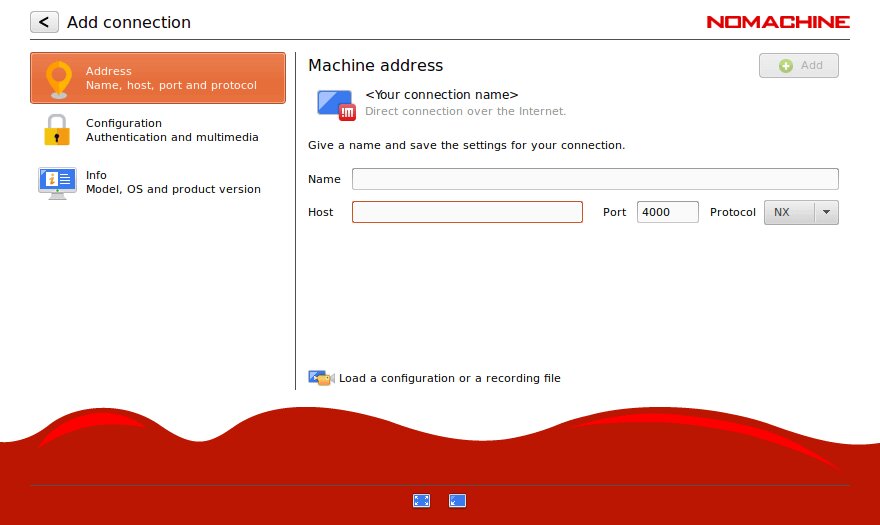
NoMachine is another platform that’s well-known for cross-platform remote access. That already hints at how complex and expensive it can become in Linux-centric deployments.
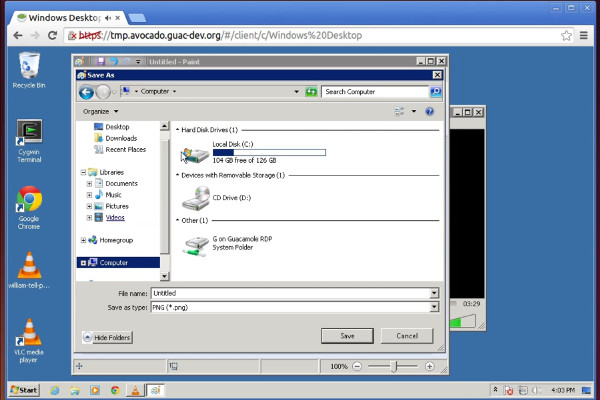
Guacamole’s community has made the project a good entry point if you only need browser-based access for occasional use. Still, it adds a translation layer that can introduce lag and requires a backend server to actually host the session.
These can work fine for quick personal access, not a full desktop. They’re usually not what you build as core multi-user Linux desktop infrastructure, especially in compliance-heavy or performance-sensitive environments.
| Criteria | ThinLinc | SSH + X11 | X2Go | VNC | NoMachine |
| Performance | Good (optimized VNC over SSH, low latency) | Very poor (X11 chattiness, unusable over WAN) | Good (NX-based) | Moderate (varies by implementation) | Good(proprietary NX) |
| Session persistence | Excellent (robust reconnection, device switching) | None (lost on disconnect) | Good (suspension/resumption) | Basic (manual reconnection) | Good (automatic reconnection) |
| Desktop access | Full desktop (complete environment) | Limited (single apps typical, full desktop impractical) | Full desktop | Full desktop | Full desktop |
| Setup complexity | Low (intuitive clients, web admin) | Low basic; High at scale (no centralized management) | Moderate (manual config) | Moderate (VNC + SSH tunneling) | Moderate (feature complexity) |
| Multimedia support | Good (audio via PulseAudio, video, VirtualGL compatible) | Very poor (no audio, unusable video) | Good (basic support) | Moderate (varies by implementation) | Excellent (built-in audio, video, H.264 encoding) |
| Bandwidth efficiency | Good (optimized compression) | Poor (inefficient X11 protocol) | Good (NX compression) | Moderate (basic compression) | Good (NX optimization) |
| Security | Excellent (SSH-based, LDAP/AD, Kerberos, MFA) | Good (SSH encryption) | Good (SSH tunneling) | Moderate (TLS/encryption available; varies by implementation) | Good (NX protocol encryption, PAM/LDAP/AD) |
| Enterprise features | Excellent (load balancing, monitoring, admin) | None | Minimal | Minimal to Moderate (varies by vendor) | Good (load balancing, multi-node, HA clustering — enterprise tiers) |
| User experience | Excellent (responsive, native feel) | Very poor (laggy, frustrating) | Good (responsive) | Moderate (acceptable) | Excellent (smooth) |
| Licensing cost | Cost-effective (concurrent, free <10) | Free (built-in) | Free (open source) | Free/moderate (varies) | Free tier limited, enterprise licensing required |
| Commercial support | Excellent (enterprise support available) | None | Community only | Varies (RealVNC commercial; TigerVNC community) | Commercial available |
| GPU acceleration | Compatible (VirtualGL, not bundled) | No | No | Compatible (VirtualGL, with TigerVNC) | Good (H.264 hardware encoding, VirtualGL compatible) |
| Best for | Enterprise Linux environments, persistent production desktops | Quick ad-hoc access, occasional single-app use | Budget-conscious small teams | Varies: small deployments (TigerVNC) to enterprise (RealVNC) | Cross-platform needs, performance-sensitive environments |
| Production suitability | Excellent | Poor | Moderate | Moderate | Good |
We know that ripping out a workflow you’ve used for years can be a bit uncomfortable, mostly because it’s a habit many of us have. The switch, however, isn’t complicated at all.
SSH + X11 forwarding was a brilliant hack for its time, and we think it still has its place for quick administrative tasks or the occasional one-off GUI tool. But asking it to shoulder the weight of modern Linux workflows is asking too much of a protocol designed decades ago.
The good news is you don’t have to sacrifice the security or Linux-native nature of SSH to get a remote desktop that actually feels like a local machine. At Cendio, we built ThinLinc specifically to make that transition practical, predictable, and easy to run in production.
Experience responsive, full-featured Linux remote desktop with ThinLinc’s free trial today.
