



We've been Linux users long enough to see how it's gone from being considered a timesink to driving most of modern development. Close to 80% of developers report using it as their main or secondary OS, yet very few commercial remote access tools prioritize Linux-native workflows, and that includes RealVNC.
While popular for basic remote access across mixed environments, many teams look for a RealVNC alternative when they realize it wasn’t designed for the graphically demanding, multi-user workloads that define enterprise Linux.
Below we’ll go over the most common, like NoMachine and X2Go. Each has its place, but they still run into many of the same limits at scale. In contrast, ThinLinc builds on the performance of core open-source projects like TigerVNC with an enterprise-grade framework for security, session management, and true multi-user scale.
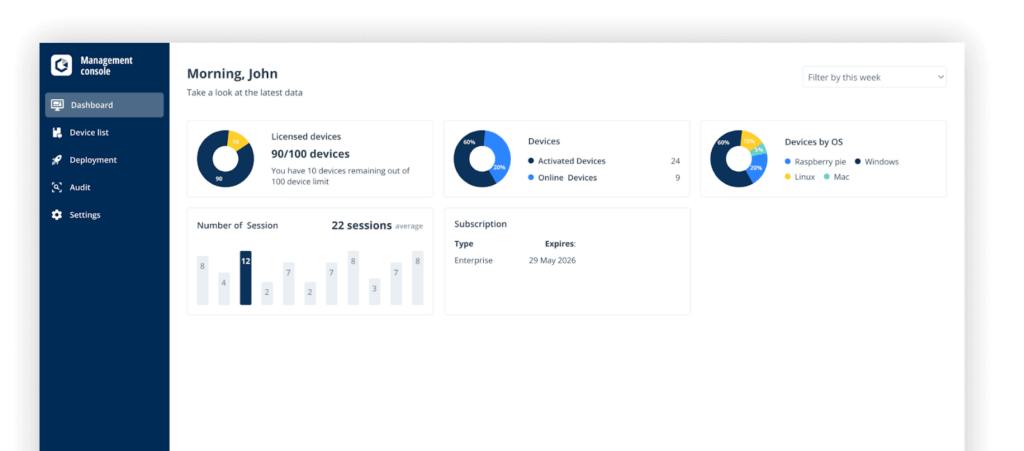
RealVNC used to be a reliable choice for most remote desktop access. Then 2024 happened. We’ve seen this story play out for quite some time with other commercial solutions like VMware and Citrix, where a sudden shift in business strategy forced long-term users to rethink their options.
Around late 2024, RealVNC moved to a concurrent session pricing model. On paper that’s fine. It’s actually the same model we use at ThinLinc. The difference is we don’t add connection type upcharges or device caps. As of December 2025, RealVNC does both.
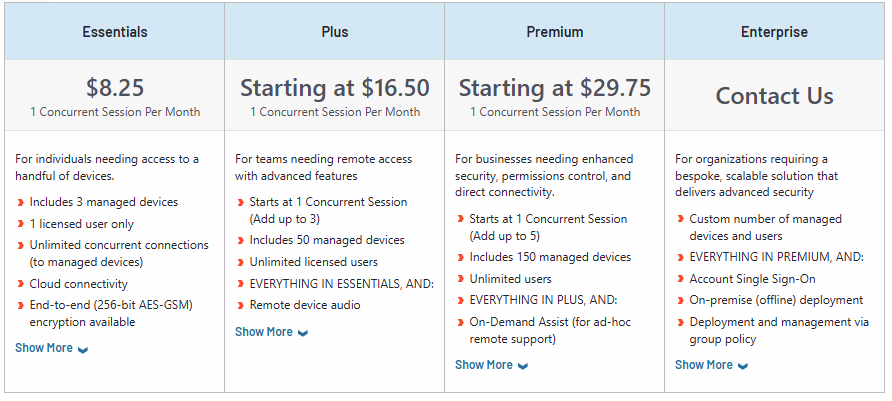
Image source: G2
For example, direct LAN connectivity (something you’d expect to be baseline) is locked to higher-tier plans. If you’re running a small to mid‑size Linux environment with a couple of dev machines on‑prem and a handful of cloud boxes to manage, that limitation feels pretty out of touch.
Pricing changes alone, however, aren’t what finally push most teams away. What we keep hearing from Linux-centric organizations migrating off RealVNC is that the bigger nudge is the remote support experience itself.
Take Paul C., who’d been using RealVNC for years. His recent experience summed it up pretty clearly:
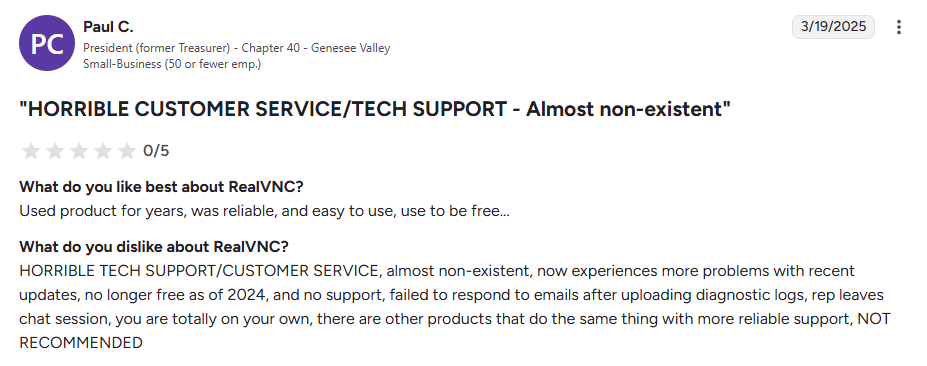
Image source: G2
Another power user, Patrick R., said on Software Advice: ”No support, overcharged, unable to make appropriate plan or billing changes. Stuck with what I have and will have to migrate my devices and cancel before they hit me again with over-billing.”
Adding to that, you’ll find plenty of threads on forums and community sites where users complain about the RealVNC client feeling unstable on a remote computer, with sluggish scrolling, freezes when moving windows around, and slow response in IDEs. As expected, these problems show up most when trying to run graphical applications on Linux workstations that don't play nice with VNC.

Image source: Reddit
Their own Linux documentation notes issues like blank screens and slow image updates. The list of fixes is quite long, which shows how involved the troubleshooting can get on standard Linux machines. To top it off, RealVNC targets mixed OS setups, so their docs rely on many host‑level adjustments and cross‑references, which makes things more complicated than they need to be.
In line with the above, RealVNC Server in Virtual Mode can show blank or frozen desktops in common environments like GNOME when it doesn't play nice. Their documentation suggests switching to the system Xorg and wire up xstartup to make sure the right session launches. That's a general X11 reality, but with RealVNC you handle it per server.
In contrast, ThinLinc centralizes session management so you typically standardize your headless setup once, then let the platform handle user sessions instead of rebuilding workarounds across all your nodes.
There’s a natural tendency to jump straight to open‑source tools like Apache Guacamole, Remmina, or Xpra, and we actually think each of them is great at what it does. Now, if you’re looking for a long‑term alternative for multi-user remote desktops in Linux enterprise environments, there are a few extra boxes you need to tick.
You want a tool that lets your users handle any type of remote work with local‑like responsiveness, so make sure it supports adaptive compression and hardware acceleration.
When you disconnect from a RealVNC session running in Virtual Mode, your desktop session is lost. A proper solution lets you reconnect instantly and pick up exactly where you left off, even after days.
With RealVNC, it’s easy to end up layering SSH tunnels, separate gateways, and custom rules around it to fit enterprise policies. A better fit would be a platform with default SSH end-to-end encryption, as well as built-in PAM, MFA, and LDAP support with granular controls.
Make sure the tool is explicitly designed for the Linux environments and distros you run.
The right solution should also allow you to easily monitor and manage hundreds of isolated user sessions from a single console.
Look for straightforward concurrent session pricing without hidden upcharges or device caps.
ThinLinc is a Linux-centric remote desktop server we’ve been building for teams that outgrow the limits of a traditional VNC-based setup. And to be fair, none of this ecosystem would exist without RealVNC founders’ early work. Open-sourcing the VNC protocol gave the community a base that countless tools, including ours, have grown out of.
RealVNC Connect is something else, though. Where it prioritizes broad compatibility with the VNC Viewer, ThinLinc delivers full, persistent Linux remote sessions designed for multi-user workloads and high-demand environments. We’ve refined it for over twenty years in HPC, research, and enterprise clusters to make remote Linux desktops predictable, performant, and stable at scale.
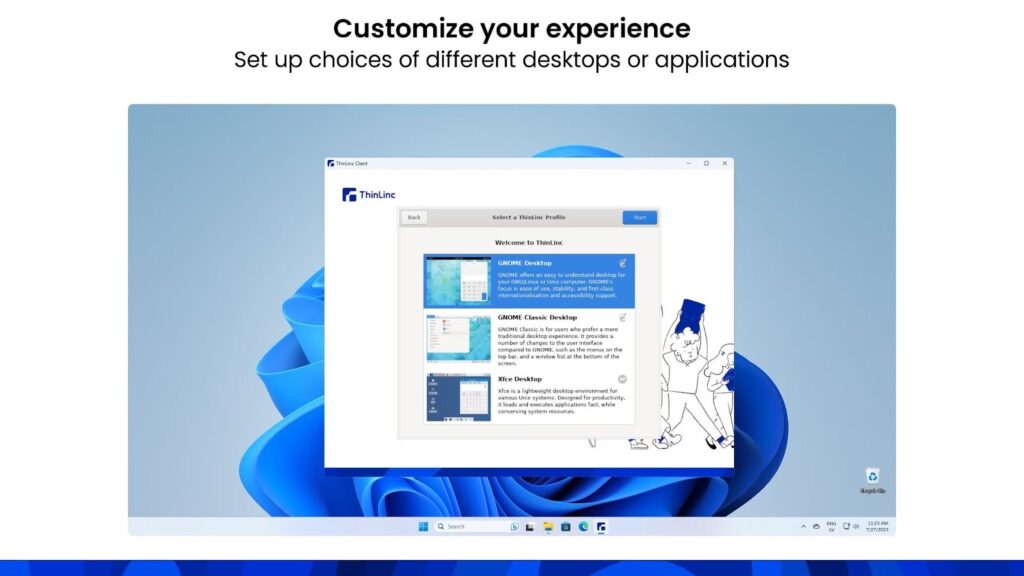
One of the key features we’ve focused on is keeping users able to remotely access their Linux desktops and applications without noticeable lag in scrolling, window resizing, or keyboard input. If the network isn’t ideal, ThinLinc leans on smart compression, server-side rendering, and GPU offloading via VirtualGL. That’s whether you’re using the browser to access our web-based HTML5 client, or connecting through Windows, Mac, or Linux computers.
Unlike RealVNC, we built ThinLinc around persistent sessions. If you disconnect, your Linux desktop stays running on the server until you actually log out. You can reconnect later and find the same terminals, editors, and running jobs exactly where you left them, which is perfect for unattended access.
RealVNC has had a few vulnerabilities on Linux setups that were later patched, but still, they show why it needs extra configuration for things like TLS. It does integrate with AD, LDAP, Kerberos, and MFA, much like ThinLinc. Our approach is different, though. Every connection between client and server is encrypted via SSH/TLS by default, and we offer built-in PAM integration for authentication.
In a way, the whole point of ThinLinc is to behave like a native part of your Linux environment. Our developers have been working with and contributing to Linux projects long before we launched in 2003, so we built the platform to integrate natively with most major modern Linux distributions and environments.
Our licensing model is dead simple. Since version 4.19.0, you can just download a community license to try ThinLinc for free with up to 10 concurrent sessions, which is a far more realistic proof‑of‑concept window than RealVNC’s 14‑day trial for up to 10 managed devices. And if you skip that step and just install the server bundle, you still get 3 concurrent sessions right out of the box for basic testing.
If you move to paid, pricing is still per concurrent user as of the publishing of this article, with discounts as you scale up.
Our master-server architecture lets you grow by dropping in more agent servers when load increases. It includes built-in session brokering and a load balancer that we revamped in our latest version to be easier to configure right from the web administration interface. That’s also where you get a central view of sessions, users, and access controls.
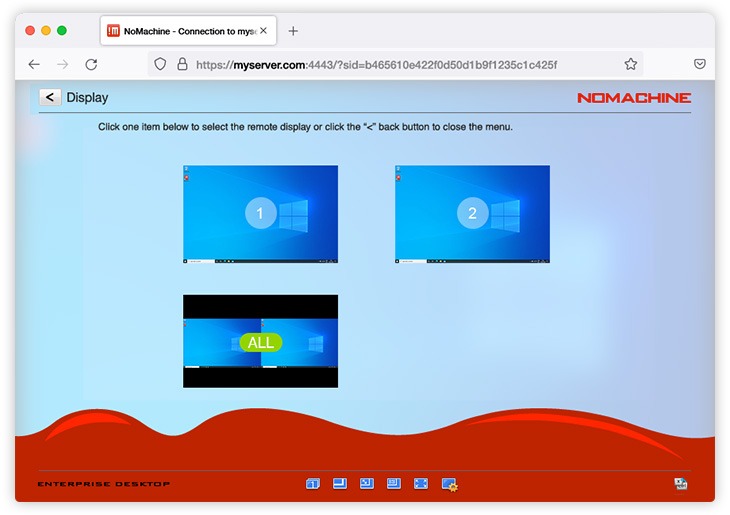
NoMachine uses a proprietary NX protocol, and it’s the option we see some teams try first when they’re chasing better performance compared to RealVNC. There are a few things that start going sideways once they start scaling, though. For example, you’ll find plenty of user reviews highlighting the expensive per-node licensing, which is also quite confusing.
You can test it for free only if it’s for personal use, and while it’s marketed as a cross-platform option, it isn’t designed to integrate natively with Linux setups.
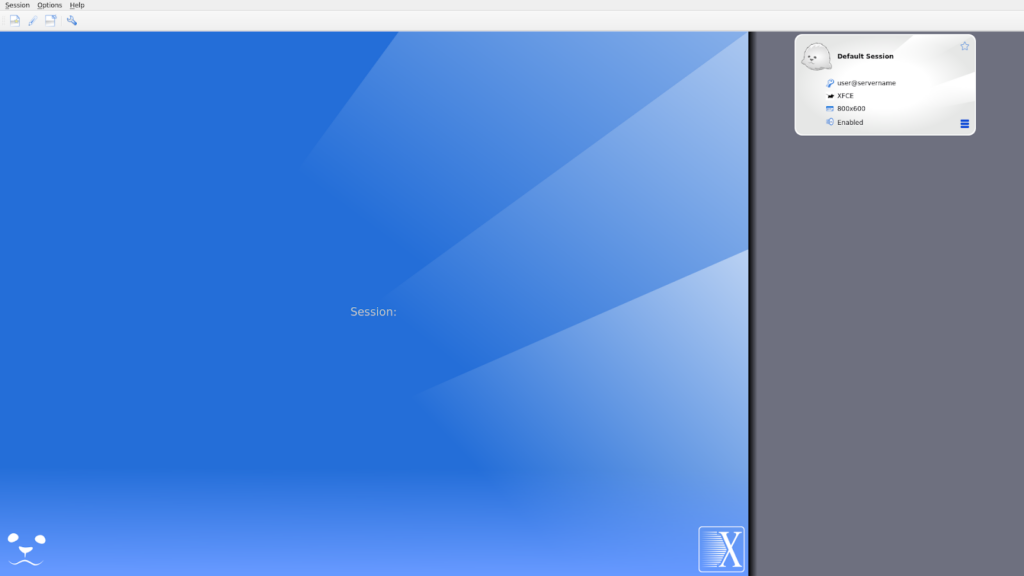
It’s easy to see why developers gravitate toward X2Go (we too appreciate its open-source nature), but like RealVNC, it doesn’t fully adapt to Linux-native workflows. Many users we’ve worked with started on X2Go and eventually moved to ThinLinc after running into compatibility and performance issues.
One customer we spoke with mentioned how X2Go struggled with newer desktops on Red Hat, leaving unresolved issues for users. Another pointed: "Our researchers use SSH and X2Go, but ThinLinc just works better out of the box and causes fewer problems, especially for educational purposes."
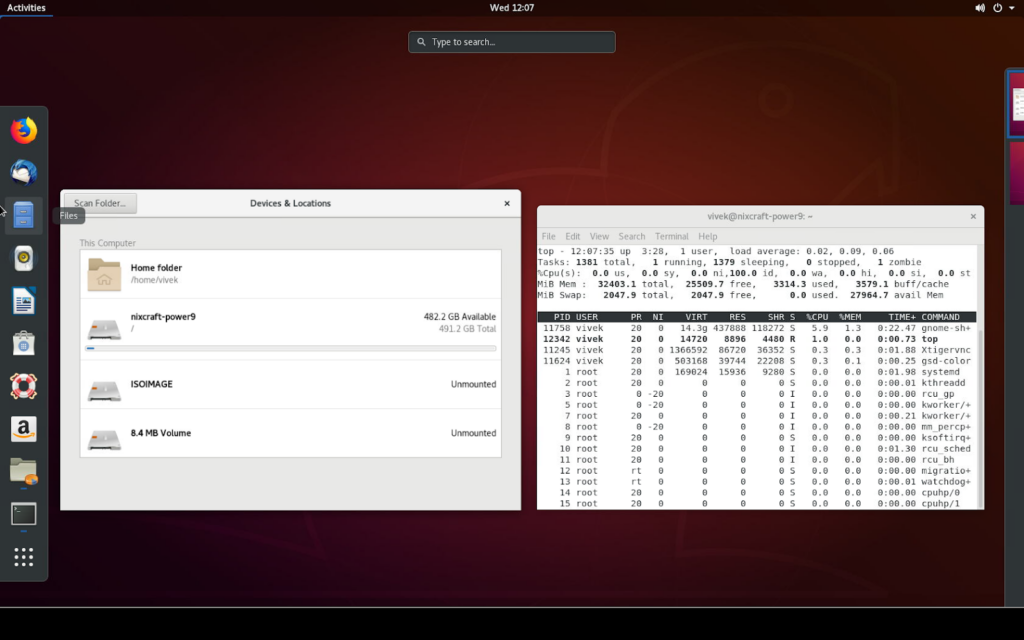
TigerVNC is actually one of the core components of ThinLinc. We’ve been maintaining and extending it for years, alongside other projects like noVNC. The main issue here isn’t really that it falls short (it’s solid at what it does), but that you have to glue together web access, authentication, and session management among other things. You could instead use an all-in-one remote desktop platform that already bundles those pieces into a single solution.
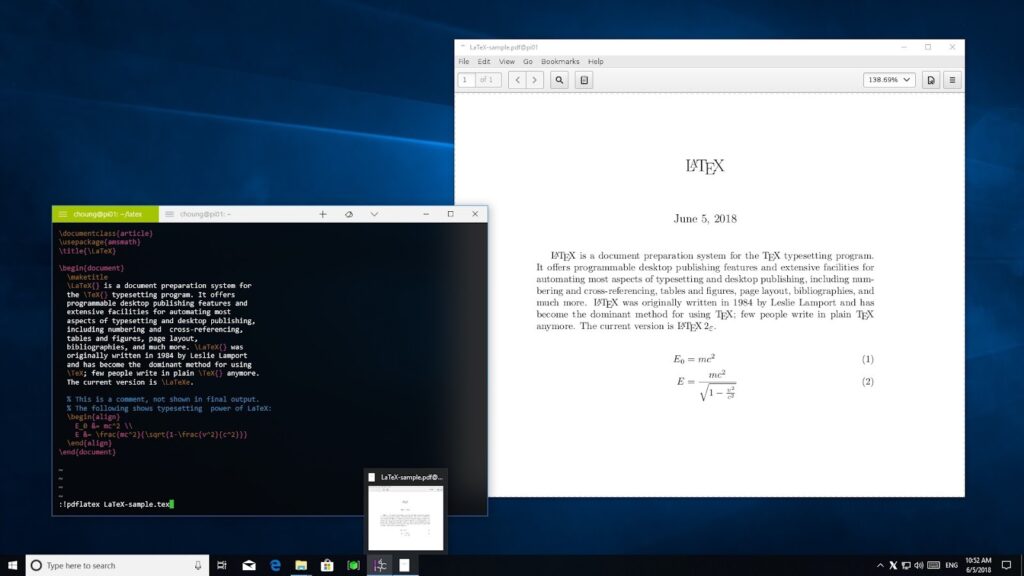
We’ve all relied on SSH + X11 forwarding at some point to get a quick GUI up on a remote box, but once you move beyond that into full desktop workflows or true unattended access over any real distance it starts to fall apart. There's no persistence unless you layer on something like Screen for individual apps, which only gets you so far. And while it’s generally more secure than RealVNC, it still lacks efficient compression or easy multi-user scaling.
| Criteria | RealVNC | ThinLinc | NoMachine | X2Go | TigerVNC | SSH + X11 |
| Development tool performance | Poor | Excellent | Good | Good | Basic | Poor |
| Session persistence | Limited | Excellent | Good | Basic | None | None |
| Security & encryption | Basic | Enterprise SSH | Good | SSH-based | Basic | SSH native |
| Multi-user scalability | Limited | Thousands | Limited | Good | Manual setup | None |
| Linux optimization | Generic | Native | Generic | Good | Basic | Native |
| Cost for dev teams | Expensive | Cost-effective | Moderate | Free | Free | Free |
| Setup complexity | Moderate | Easy | Moderate | Moderate | High | None |
| Enterprise features | Limited | Comprehensive | Basic | Limited | None | None |
ThinLinc has many benefits, but for most teams coming from RealVNC the big ones are speed and control. In most environments you can set a test server in about 15 minutes. And unlike with RealVNC, you get direct access to our sales and development teams throughout the whole process.
Before touching your existing RealVNC setup, try ThinLinc for free in your own environment so you can test it on your terms and keep full control over what changes. The free version includes a fully-featured server bundle you can install on a lab or home PC, with 3 concurrent remote sessions available immediately for personal or small-scale testing. You can then bump that to 10 with a community license if you want to involve a small team.
Spend a bit of time using ThinLinc the way you currently use RealVNC. As you get comfortable, you can move a few users or a test group over first, then grow from there with help from our team and detailed documentation.
Once you and your users are happy with how it feels day to day, talk to the team about a subscription sized to your real concurrent usage so you keep costs predictable.
When you compare RealVNC and the other options teams typically check for commercial use, whether that’s the ones we mentioned above or others like NICE DCV and Open OnDemand, we see a clear pattern. They either prioritise broad compatibility at the cost of performance, or make it harder for developers to keep control over where their data lives and how their sessions are managed.
ThinLinc, however, gives you predictable performance, proper session persistence, multi‑user scaling, and a workflow that feels local while remaining fully cross-platform for your users. It’s one of the few remote desktop tools that treats Linux as the primary environment, and we’ve made sure it integrates cleanly with the distributions, authentication systems, and tooling you already rely on.
Download ThinLinc today and see the difference.
