



Around 63% of IT professionals think that higher productivity is the single biggest benefit of working with open‑source software, and that’s why many turn to TurboVNC in the first place. It’s a trusted option for getting work done when running GPU-heavy workflows on Linux.
At Cendio, our developers are also long-time contributors to open-source, so when we look at tools like TurboVNC, it's with genuine respect. We also understand its limits, though. And performance on its own doesn't automatically translate into productivity. We've talked to many teams where engineers end up spending more time debugging SSH tunneling or configuring multi-component remote desktop stacks than actually working on their 3D models or data simulations.
We started developing TigerVNC in early 2009, and not long after that we began seeing serious work around VirtualGL to bring parts of TurboVNC’s performance optimizations into the ecosystem. So, we won’t deny what TurboVNC is good at. Where it falls short is at the enterprise level, and that’s a fairly natural outcome for a project with such a focused scope.

TurboVNC is a VNC variant optimized around tight encoding and high-throughput image delivery, which is why it’s mostly used for 3D and OpenGL-heavy Linux workloads. The emphasis is on squeezing as much performance as possible out of the VNC protocol in combination with VirtualGL.
And in that sense, it’s paid off. At least for personal use or small teams who are comfortable configuring their own X server, SSH tunneling, and client setup. What it deliberately doesn’t try to do is manage the broader remote desktop experience.
On their site, TurboVNC claims that if you hit an enterprise requirement it doesn’t cover, it’d be cheaper to fund the engineering work you need than to pay ongoing license fees for a proprietary remote desktop product. That’s one of the best parts of open source. Now, it’s a tough pitch for large-scale Linux environments where you have to keep the whole stack consistent across users, hosts, and networks.
TurboVNC deployments tend to start simple, then grow into a pile of details: which X server is running, how the display is created, how VirtualGL finds the right libraries, whether the box is headless, and how you handle ports and SSH tunneling.

Image source: GitHub
In a NixOS thread, for example, an user described the process as “a rabbit hole”. They weren’t trying to build a massive VDI platform, just a handful of virtual desktops for a few users. At scale, this level of tinkering is simply unsustainable.
While there’s been steady work around TurboVNC’s session management, it can’t act as a full session broker the way a dedicated remote desktop platform, like ThinLinc, does. This isn’t a criticism. We know how slow and careful open-source progress can be (we live in it.)
As it stands, though, there’s no integrated administration interface, no real policy layer, and no built‑in way to see and control user sessions beyond the low‑level VNC process details.
Like ThinLinc, TurboVNC uses SSH for its transport layer. The overall focus is, however, completely different. Its published feature list revolves around performance (compression, scaling, encoding, VirtualGL integration). We care deeply about that side as well, but TurboVNC doesn’t bundle the rest of the enterprise features a security team expects in a central remote desktop service, like MFA, audit logging, or built‑in LDAP/AD integration. Those you’d have to design, wire up, and maintain yourself around it
Most documentation around TurboVNC (with VirtualGL) treats them as a stack for graphical visualization nodes. You’ll find plenty of HPC and CAD guides describing how to forward OpenGL applications from compute nodes to a client machine.
What you won’t find is much about building a complete remote workspace, so web portals, file redirection, printing, or mixed workloads that combine GPU applications with everyday desktop tools.
Again, TurboVNC is optimized for image delivery. Audio, video, and peripheral forwarding are simply not core features. In fact, there’s an open issue discussing how to stream audio using PulseAudio by running a separate daemon and client alongside TurboVNC. That thread is pretty useful, but at the same time, you just get workarounds that add another layer to configure and maintain.
As we mentioned above, HPC environments usually scale TurboVNC by treating it like a per-node tool and wrapping it with scheduler glue. The approach is fine for small teams, though, as you’d expect, it requires heavy custom scripting.
We designed ThinLinc with a master-agent architecture that handles this out of the box, so adding nodes and users is mostly about plugging in new agents and letting the built‑in broker and load balancer do their job.
TurboVNC does provide its own viewer for Windows, macOS, and Linux. Now, if your organization wants browser-based access (especially for contractors, BYOD, or locked-down endpoints), you’d have to assemble noVNC, a web server, and a WebSocket proxy yourself. While doable, it’ll get more complex to secure and maintain as your teams grow.
None of the issues above are fatal on their own. Many small teams run TurboVNC successfully for years, but it all adds up once the environment grows.
When you reach that point, TurboVNC becomes unsustainable, so these are the things worth paying attention to:
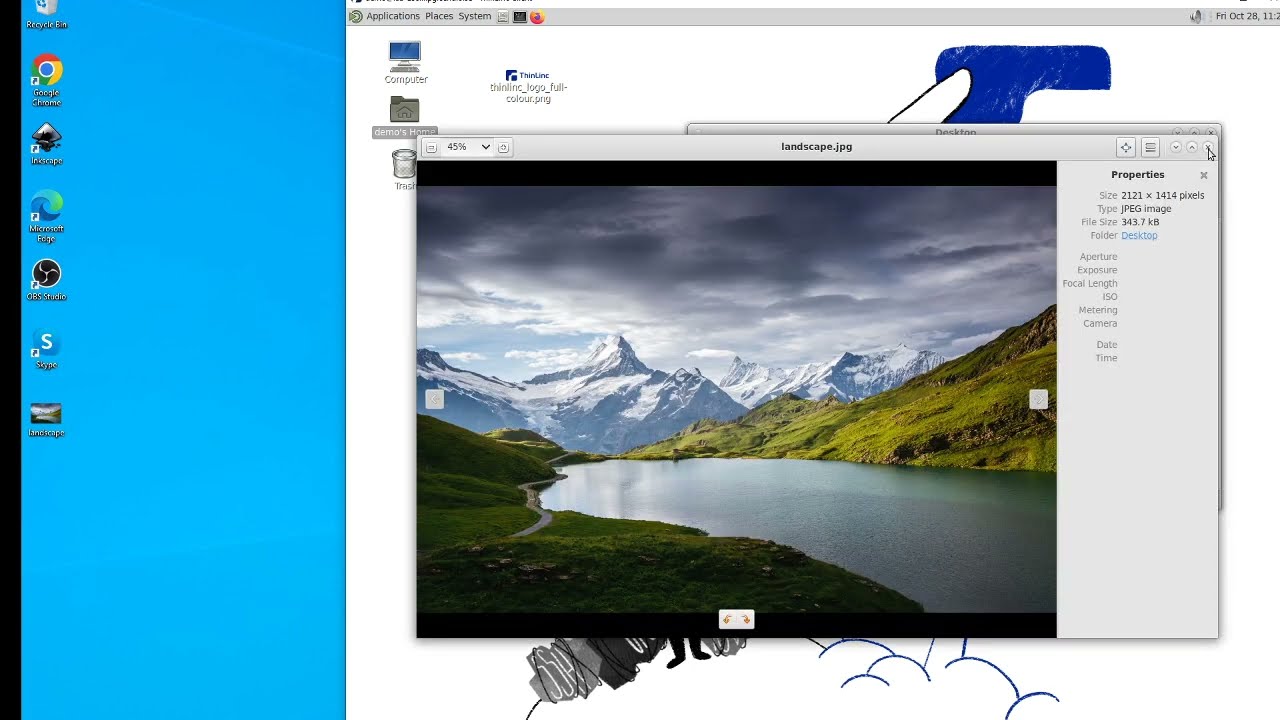
Cendio has been part of the open‑source community for decades, and there’s no plan to step away from that. Our roots as maintainers of TigerVNC and noVNC has given us the perspective to understand what enterprises, universities, and research labs need: a transparent solution with raw performance, enterprise-grade reliability, security, and ease of management. So we built ThinLinc to offer just that.
There are also a few other things we bring to the table:
GPU acceleration without complexity
With ThinLinc, you still get the VirtualGL performance you’re used to from TurboVNC. The difference is our administration guide documents exactly how to combine ThinLinc and VirtualGL for 3D workloads, and there are step‑by‑step guides for cloud GPUs and on‑prem Linux boxes that walk through vglserver_config, group membership, and simple benchmarks.
Session persistence with centralized lifecycle control
As we’ve already mentioned, ThinLinc tracks sessions centrally, unlike TurboVNC. This way, users can disconnect, reconnect from another device, or resume long‑running jobs while administrators still have a single place to view, script, and control session lifecycles.
Complete development desktop environment
TurboVNC is used more commonly for 3D visualization nodes, while ThinLinc is a Linux terminal‑server platform. Besides applications, you can also publish full Linux desktops where your users can run IDEs, terminals, browsers, 3D tools, schedulers, and data viewers all in one remote session.
Simplified deployment
This is just a natural part of being an all-in-one remote desktop platform rather than a collection of disconnected components or a simple translation layer. You can install a master on one host, agents on your compute or desktop nodes, and you’re essentially ready to start testing with real workloads.
Enterprise-grade security built-in
We also lean on SSH end-to-end encryption, but ThinLinc’s consistently deployed in environments with strict security and compliance, so we go further. It integrates natively with MFA, smart cards, Kerberos, as well as LDAP and Active Directory.
Superior user experience
ThinLinc has native clients for Linux, Windows, and macOS, and there’s also an HTML5 client for browser-only access. And it doesn’t matter whether users connect from a managed workstation or a personal laptop, the experience stays consistent, with built-in adaptive compression and optimization settings.
You don’t need to bolt on extra daemons or side services to get a usable desktop either. Audio redirection is built in, as are local drive access (thindrivers) and smart-card support.
Proven scalability
If you go through our documentation, you’ll see ThinLinc’s architecture is designed for growth. We also have plenty of case studies showing we’ve helped universities, HPC centers, and media companies like Seagate or Volupe serve centralized Linux desktops and GPU workloads to hundreds or thousands of users.
Cost-effectiveness
As of publishing this article, ThinLinc’s licensing is concurrent, and there’s a free Community License for smaller teams to run up to 10 concurrent users. If you think of time saved on glue code and manual tuning, it’s fair to say the TCO is actually more sustainable in the long term.
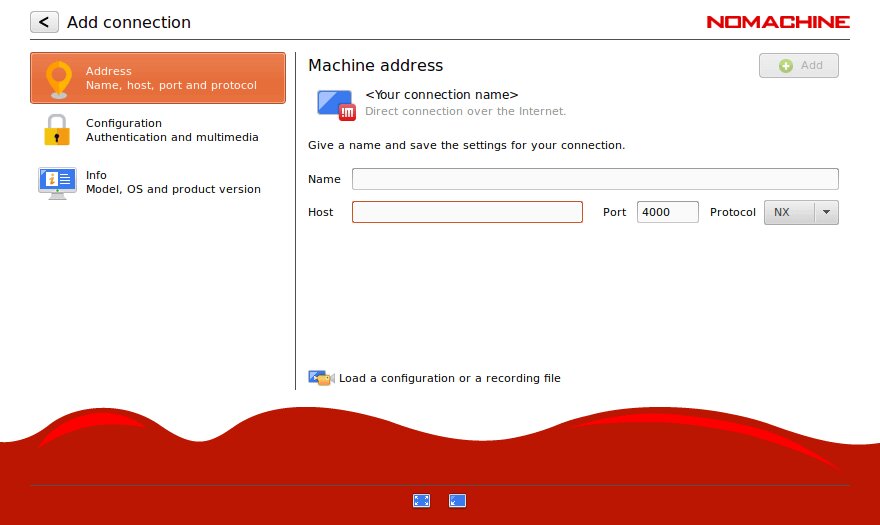
NoMachine uses its own NX protocol to focus on responsiveness and performance. You’d be trading a trusted open-source project for a full commercial platform, though. One that’s cross-platform, so it doesn’t even integrate as well into Linux-centric setups as ThinLinc.

X2Go is a pretty reasonable option, but it has known limitations with some modern desktop environments and struggles to support heavy GPU or 3D workloads.
You can also put together your own stack using a VNC server like TigerVNC or RealVNC, plus VirtualGL for the GPU acceleration. We can’t say it won’t work well, but it keeps the same challenges you get with TurboVNC. So, you’d still be responsible for session management, security integration, browser access, and long‑term maintenance of all the moving parts.
In our opinion, these aren’t worth your time for a very simple reason: they aren’t built for HPC‑grade Linux workloads, large multi-user clusters, or GPU‑accelerated visualization.
| Criteria | ThinLinc | TurboVNC + VirtualGL | NoMachine | X2Go | VNC + VirtualGL |
| GPU/3D acceleration | Good (VirtualGL compatible, requires separate install) | Excellent (designed alongside VirtualGL by same developer) | Good (H.264 hardware encoding, VirtualGL compatible) | Poor (limited support) | Good (VirtualGL compatible, requires separate install) |
| Setup complexity | Low (integrated platform) | Moderate (two components from shared developer, well-documented) | Moderate (feature complexity) | Moderate | High (manual multi-component) |
| Session persistence | Excellent (robust, centralized broker) | Basic (sessions persist on server, no centralized broker) | Good (automatic reconnection) | Good | Basic (sessions persist, no centralized broker) |
| Complete desktop | Yes (full environment) | Yes (full desktop via Xvnc) | Yes | Yes | Yes (full desktop via Xvnc) |
| Enterprise security | Excellent (SSH, LDAP/AD, Kerberos, MFA, smart cards) | Moderate (PAM, OTP, TLS, SSH tunneling) | Good (NX encryption, PAM/LDAP/AD/Kerberos via host) | Moderate | Moderate (TLS, PAM, SSH tunneling) |
| Enterprise features | Excellent (admin console, monitoring, load balancing) | None (no built-in management) | Good (load balancing, multi-node, HA clustering — enterprise tiers) | Minimal | None |
| Scalability | Excellent (built-in load balancing) | Limited (no built-in broker; integrates with HPC schedulers) | Good (multi-node, enterprise tiers) | Limited | Limited (manual) |
| User experience | Excellent (native clients + HTML5 web) | Good (optimized for 3D workloads) | Excellent (smooth, proprietary NX) | Good | Moderate |
| Client support | Excellent (native Linux/Win/Mac + HTML5 web) | Good (native Linux/Win/Mac viewer) | Good (native + web) | Moderate (Linux/Win/Mac) | Varies |
| Licensing cost | Cost-effective (concurrent, free <10) | Free (open source) | Free tier limited; enterprise licensing per-server | Free (open source) | Free (open source) |
| Total cost of ownership | Low (integrated platform) | Low to moderate (well-integrated duo, but no management layer) | Moderate (enterprise licensing) | Low to moderate | High (manual integration of many components) |
| Commercial support | Excellent (Cendio enterprise support) | Paid support available from project developer | Commercial available | Community only | Varies |
| Maintenance burden | Low (integrated platform) | Moderate (two well-integrated components, no management layer) | Moderat | Moderate | High (multiple loosely-coupled components) |
| Best for | Enterprise Linux environments needing managed GPU desktops | HPC/3D visualization, teams comfortable with DIY management | Cross-platform, performance-sensitive environments | Budget-conscious small teams | Not recommended for production |
| Production suitability | Excellent | Good (proven in HPC; limited for general enterprise) | Good | Moderate | Poor |
Having used TurboVNC, you’re probably comfortable wiring things together. Well, you can rest easy knowing migrating to ThinLinc doesn’t force you into a total infrastructure overhaul. In practice, it’s just a few easy steps, and you can do them incrementally, with direct support from our developers if you need it.
TurboVNC has pushed VNC further than most people thought possible for 3D and OpenGL-heavy Linux workloads. Performance alone isn’t enough, though, and the infrastructure you have to build around it takes more time to maintain than the work it supports.
At Cendio, we still believe open-source components are the best foundation for a robust Linux environment. We’ve built ThinLinc around them, then optimized and hardened in a way that just makes it easier to scale your infrastructure, whether you’re managing a small lab or a massive HPC cluster.
If you want to replace TurboVNC + VirtualGL configuration headaches with ThinLinc's complete solution, try the fully-featured free version in your own environment today.
